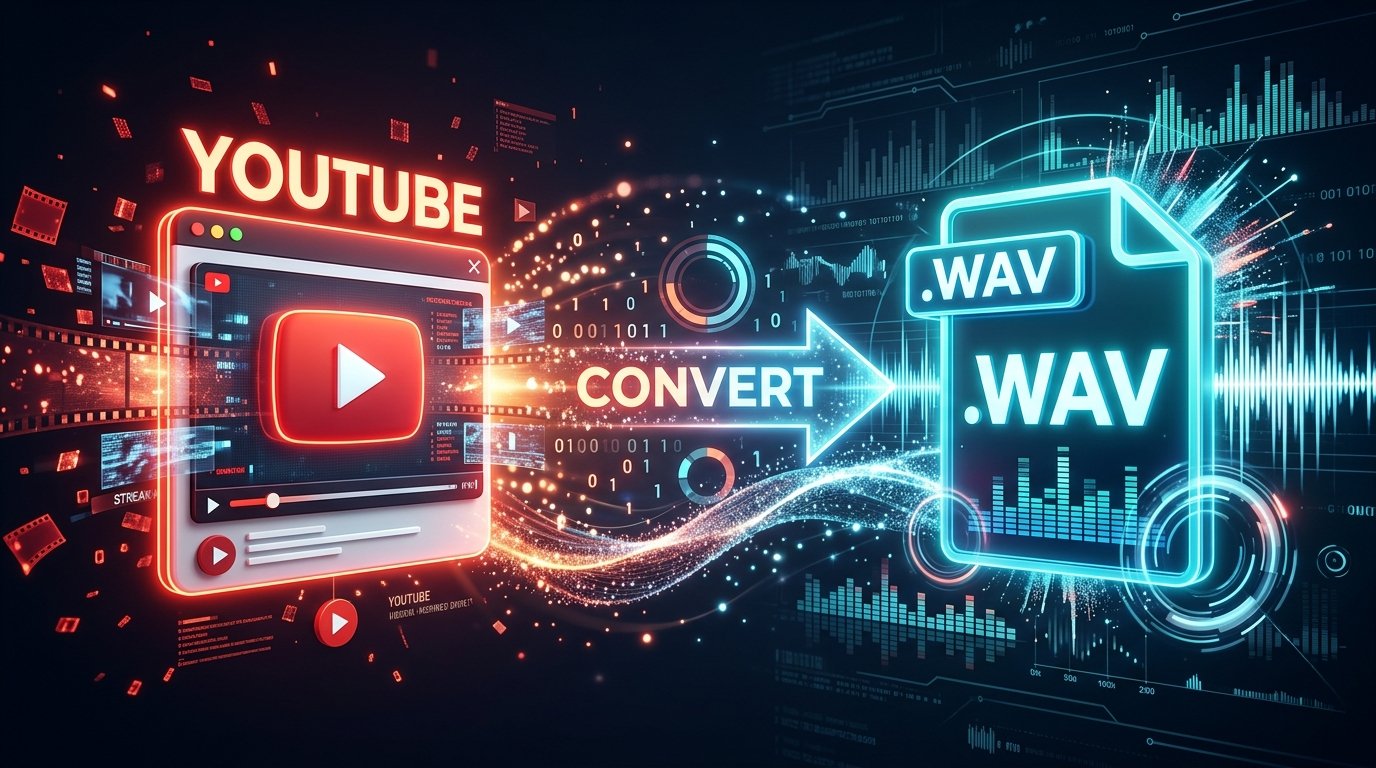
youtube t o wav,” you are probably looking for a way to turn the audio from a YouTube video into a WAV file. WAV is widely used for audio editing, music production, podcast work, transcription, and other workflows where an uncompressed working format is useful.
The important part is understanding what the conversion actually does. A WAV file can be uncompressed, but converting YouTube audio to WAV does not magically restore audio information that was already lost in the original stream.
This guide explains how YouTube to WAV conversion works, which methods make sense for different users, how WAV compares with MP3, M4A, and FLAC, and what to consider before converting or downloading content.
What Is YouTube to WAV?
YouTube to WAV refers to extracting the audio from a YouTube video and saving that audio as a WAV file.
A typical workflow looks like this:
- Start with a YouTube video.
- Extract or obtain the audio stream.
- Decode the audio.
- Store the resulting audio as a WAV file.
- Open the WAV file in an audio editor, DAW, video editor, or other compatible application.
WAV is an audio container commonly used with uncompressed PCM audio. Because it does not use the same type of lossy compression found in MP3, it is particularly convenient for editing and production workflows.
The important distinction is that WAV describes the output format, not the quality of the original YouTube recording.
Why Convert YouTube Audio to WAV?
WAV makes sense when you need an editing-friendly audio file rather than a compact file for casual listening.
Audio editing
WAV files are commonly accepted by audio editors and production software. If you plan to cut, trim, normalize, process, or manipulate audio, an uncompressed working format can be convenient.
Music production
Music producers may prefer WAV when importing audio into a DAW for chopping, arranging, processing, or sound design.
However, using a WAV file does not automatically give you studio-quality source material. The quality still depends on the audio that came from the original video.
Podcast and voice editing
Speech can be extracted into WAV for editing, noise reduction, equalization, or other processing.
Transcription
Some audio-processing workflows accept WAV directly. A standardized PCM file can also make compatibility easier between different applications.
Video editing
WAV is supported by many video-editing applications and can be useful when audio needs to be edited separately from video.
Is YouTube to WAV Really Lossless?
This is one of the most misunderstood parts of the process.
The WAV output can be lossless in the sense that WAV can store uncompressed PCM audio. But converting a lossy YouTube audio stream into WAV does not restore information that the original compression removed.
Think of it this way:
Compressed source → WAV
does not become:
Original studio master → WAV
The WAV file is simply an uncompressed representation of the audio you started with.
For example, converting a compressed audio stream to WAV can prevent another lossy compression step. But it cannot recreate frequencies or details that were already discarded before the conversion.
That means WAV is valuable mainly because it gives you a clean working format. It should not be treated as a tool for upgrading the underlying source quality.
How to Convert YouTube to WAV
There are several possible workflows. The best choice depends on whether you need one file, many files, a graphical interface, or a repeatable technical workflow.
Method 1: Use an Online YouTube to WAV Converter
Online converters generally follow a simple workflow:
- Copy the URL of content you are authorized to download.
- Open a reputable conversion service.
- Paste the YouTube URL.
- Select WAV as the output format.
- Start the conversion.
- Download the resulting WAV file.
This approach is convenient because you do not normally need to install audio software.
However, be careful when choosing online conversion sites. Avoid pages that aggressively redirect you, request unnecessary browser permissions, install unknown software, or make suspicious security claims.
Also check the site’s privacy and terms before submitting links.
Method 2: Convert an Audio File You Already Have
If you already have a legally obtained audio file on your computer, you can convert that file to WAV using software such as an audio editor or media converter.
This is often the cleaner approach when you already have permission to use the source.
The general workflow is:
- Open the source audio file.
- Choose Export or Convert.
- Select WAV.
- Select PCM if the application asks for an audio codec.
- Choose the desired sample rate and bit depth.
- Export the file.
This method is particularly useful when you do not actually need a YouTube downloader.
Method 3: Use yt-dlp and FFmpeg
Advanced users can use command-line tools such as yt-dlp together with FFmpeg for authorized content.
A typical workflow uses yt-dlp to obtain the available audio and FFmpeg to convert it into the desired WAV format.
The advantage is control and automation. It can be useful for technical users handling repeated conversion tasks.
The disadvantage is that it requires more setup and familiarity with the command line.
If you use this approach, make sure you understand the software, its current documentation, and the rights you have to download the content.
How to Convert Your Own YouTube Videos to WAV
If the video belongs to you, you have a much clearer starting point.
YouTube provides tools for creators to download videos they have uploaded. The downloaded video can then be converted locally to WAV using an audio or media converter.
A practical workflow is:
YouTube Studio → Download your video → Extract audio → Export as WAV
This approach is useful when you have lost the original audio file but still have access to your own YouTube upload.
For important production work, however, keeping the original master audio separately is better than relying on a compressed platform copy.
YouTube to WAV on Windows and Mac
On Windows and Mac, you have several options.
For beginners
Use a reputable graphical converter or an audio editor. This avoids command-line configuration and makes it easier to select WAV output.
For advanced users
A yt-dlp and FFmpeg workflow provides greater control and can be automated.
For existing files
If you already have an M4A, AAC, MP3, or another audio file, simply use an audio converter to create a WAV file.
There is no reason to download the same source from YouTube again if you already possess an authorized copy.
YouTube to WAV on iPhone and Android
You can perform many audio-conversion tasks from a modern phone browser or with compatible applications.
For an online workflow, the basic process is:
- Copy the authorized YouTube link.
- Open the conversion service in your mobile browser.
- Paste the URL.
- Select WAV.
- Process the file.
- Save the resulting file to your device.
On iPhone, the downloaded file will generally be handled through the Files system.
On Android, files are commonly saved to the Downloads folder or another location selected by the browser.
Large WAV files can consume significant storage, so check available space before processing long videos.
YouTube to WAV vs MP3, M4A, and FLAC
Choosing the right format depends on what you plan to do with the audio.
| Format | Best for | File size | Compression |
|---|---|---|---|
| WAV | Editing and production | Large | Usually uncompressed PCM |
| FLAC | Lossless storage | Medium | Lossless |
| M4A/AAC | Everyday listening | Small | Lossy |
| MP3 | Compatibility and small files | Small | Lossy |
WAV
Choose WAV when you need a convenient uncompressed working format for editing or production.
FLAC
Choose FLAC when you want lossless storage but want to save more space than WAV usually requires.
M4A
M4A can be a practical choice when file size matters and you mainly want good everyday playback.
MP3
MP3 remains useful when broad compatibility and small file sizes are more important than preserving a lossless working format.
Does WAV Sound Better Than MP3?
Not automatically.
If you create a WAV from already-compressed YouTube audio, the WAV does not contain information that was absent from the source.
The main advantage is that WAV avoids adding another lossy compression stage.
For example:
YouTube audio → WAV
keeps the decoded audio in an uncompressed format.
By comparison:
YouTube audio → MP3 → editing → MP3
can introduce additional lossy encoding.
For serious editing, it is generally better to work from the best available authorized source rather than repeatedly converting between lossy formats.
How Large Is a WAV File?
WAV files are much larger than MP3 and other compressed formats.
The exact size depends on:
- Sample rate
- Bit depth
- Number of channels
- Duration
A stereo PCM WAV can easily reach tens of megabytes for only a few minutes of audio.
For this reason, WAV may not be the best choice for storing a large music library on a phone.
If storage efficiency matters, FLAC may be a better lossless alternative.
What WAV Settings Should You Choose?
When exporting to WAV, you may see options such as sample rate and bit depth.
Sample rate
Common sample rates include 44.1 kHz and 48 kHz.
For music-oriented work, 44.1 kHz is common.
For video production, 48 kHz is widely used.
The correct choice depends on your project and the requirements of the software or production environment.
Bit depth
You may also see 16-bit, 24-bit, or other options.
For many ordinary editing tasks, 16-bit WAV is perfectly usable.
For professional production workflows, 24-bit may be preferred when the project supports it.
The important point is that increasing the output settings cannot create additional detail that was not present in the original source.
A low-quality source exported as 24-bit WAV is still a low-quality source.
Common YouTube to WAV Problems
The conversion fails
Possible reasons include:
- The video is private.
- The video was removed.
- The content is unavailable in your region.
- The URL was copied incorrectly.
- The conversion service does not support that URL type.
- The service is temporarily unavailable.
- The video is too long for the service.
- The service has rate limits.
Try checking the URL first. If the problem continues, use a legitimate alternative workflow.
The WAV file will not open
The downloaded file may be incomplete or corrupted.
Try opening it in another compatible audio application. If it still fails, obtain a fresh copy or convert the authorized source again.
Do not simply rename an MP3 file from .mp3 to .wav. Changing the filename extension does not convert the underlying audio format.
The WAV file is huge
That is normal.
WAV is designed for uncompressed or minimally processed audio rather than compact storage.
If you only want to listen to the file, M4A, AAC, or MP3 may be more practical.
The WAV does not sound better
That can also be normal.
The conversion changes the container or encoding format. It does not restore missing source information.
If the original YouTube audio was already compressed, WAV cannot transform it into a studio master.
Is It Legal to Convert YouTube to WAV?
The legal answer depends on the content, your rights, your intended use, and the applicable law.
YouTube explains that creators generally own copyright in original works they create. It also identifies permission, applicable copyright exceptions, public-domain material, and appropriate licenses as possible legal bases for using copyrighted content.
In the United States, fair use is determined by the circumstances of a particular use rather than by a simple rule such as “personal use is always allowed.”
Therefore, do not assume that every YouTube video can legally be downloaded and converted simply because a converter can process its URL.
Safer examples include:
- Your own YouTube videos
- Content you have permission to download
- Public-domain material
- Content provided under a license that permits the intended use
- Material where your use qualifies under an applicable copyright exception
YouTube also provides official offline viewing features through YouTube Premium, but those downloads are designed for offline playback within YouTube rather than creating ordinary WAV files for unrestricted use.
How to Choose a Safer YouTube to WAV Method
If you are using an online converter, look for basic signs of a trustworthy service.
Check the privacy policy
Understand whether the service stores uploaded files, URLs, conversion history, or other information.
Avoid suspicious downloads
Do not install unknown browser extensions or executable files simply because a conversion page tells you to.
Be cautious with pop-ups
Aggressive redirects and multiple fake download buttons are warning signs.
Look for clear terms
A reputable service should explain what it does, what information it processes, and what users are responsible for.
Consider local conversion
For files you already have legally, converting them locally avoids sending the source to an unknown third-party website.
When Should You Use WAV Instead of MP3?
Use WAV when:
- You are editing audio.
- You are working in a DAW.
- You need an uncompressed working file.
- You are passing audio between production applications.
- You plan to process the audio further.
Use MP3 when:
- File size matters.
- You mainly need playback.
- Compatibility is important.
- You are sending a file through a service with strict size limits.
Use FLAC when:
- You want lossless storage.
- You want smaller files than WAV generally provides.
- Your playback software supports FLAC.
The best format is determined by the job, not by the label “higher quality.”
What Is the Best YouTube to WAV Method?
There is no single best method for everyone.
For a beginner converting one authorized piece of content, a reputable online converter can be the simplest option.
For someone who already has the source file, local conversion is often more straightforward.
Technical users who need repeatable workflows or batch processing, yt-dlp and FFmpeg can provide much more control.
For your own YouTube content, downloading your original upload and converting it locally is a sensible workflow when the original project files are unavailable.
The most important factor is not simply whether the output says WAV. It is whether you are starting from the best available source and using a workflow that fits your intended purpose.
Final Takeaway
YouTube to WAV conversion is useful when you need YouTube audio in an uncompressed, editing-friendly format. WAV works well for audio production, editing, transcription, and other workflows where compatibility and an uncompressed working file matter.
But there is one key limitation: WAV cannot restore audio quality that was already lost in the original YouTube stream.
Choose WAV for editing and production, FLAC for efficient lossless storage, and MP3 or M4A when compact everyday playback is the priority.
Most importantly, only download or convert content when you have the necessary rights, permission, or other lawful basis to do so.
FAQ Section
What is YouTube to WAV?
YouTube to WAV means extracting audio from a YouTube video and saving it as a WAV audio file. WAV is commonly used for editing and production because it can store uncompressed PCM audio.
How do I convert YouTube to WAV?
For content you are authorized to use, you can use a reputable online converter, desktop software, or a local workflow using tools such as yt-dlp and FFmpeg. The general process is to provide the source, select WAV output, process the audio, and save the resulting file.
Is YouTube to WAV actually lossless?
The WAV file itself can be uncompressed and lossless, but the original YouTube audio may already use lossy compression. Converting it to WAV does not restore information removed from the original source.
Is WAV better than MP3?
WAV is generally better suited to editing because it can store uncompressed audio, while MP3 uses lossy compression. For casual listening, MP3 may be preferable because its files are much smaller.
Can I convert YouTube to WAV on my phone?
Yes, depending on the workflow and service. Mobile browsers can handle many conversion processes, although large WAV files can require substantial storage.
Can I convert YouTube videos that I own?
Yes. YouTube provides ways for creators to download videos they have uploaded. You can then extract and convert the audio locally.
Does converting YouTube to WAV improve sound quality?
No. WAV does not restore information that was already removed from a compressed source. It primarily provides an uncompressed working format.
Why is my WAV file so large?
WAV normally uses much less compression than MP3 or M4A. The resulting file therefore requires considerably more storage, especially for long recordings.
Is it legal to convert YouTube videos to WAV?
It depends on the content and how you use it. Your own content, appropriately licensed material, public-domain works, and certain legally permitted uses are different from downloading and redistributing copyrighted material without permission. U.S. fair use also depends on the specific circumstances.
Can I convert an MP3 to WAV?
Yes, but converting MP3 to WAV does not restore the audio quality lost during MP3 compression. It simply places the decoded audio into a WAV file.
See also: Cirquoise