If you spend long hours at a computer, you have probably felt it: a dull ache in your wrist after a full day of moving a mouse, a stiffness that shows up by the afternoon, or a tired hand that makes you shake it out between tasks. Most people reach for a foam wrist pad and hope for the best. The Badseed Tech Carpio takes a different approach, and that difference is the reason so many PC users, gamers, and desk workers are searching for it.
The Badseed Tech Carpio is a limited-edition version of DeltaHub’s Carpio 2.0, an ergonomic wrist rest created in collaboration with the YouTube channel BadSeed Tech. It is not a mouse, a keyboard, or a piece of software. It is a small, rigid desk accessory that sits under the heel of your palm and glides across your desk as you move your mouse. This article explains what it is, how the design works, how the special edition differs from the standard Carpio 2.0, who it suits, and what to check before you buy one.
What Is the Badseed Tech Carpio?
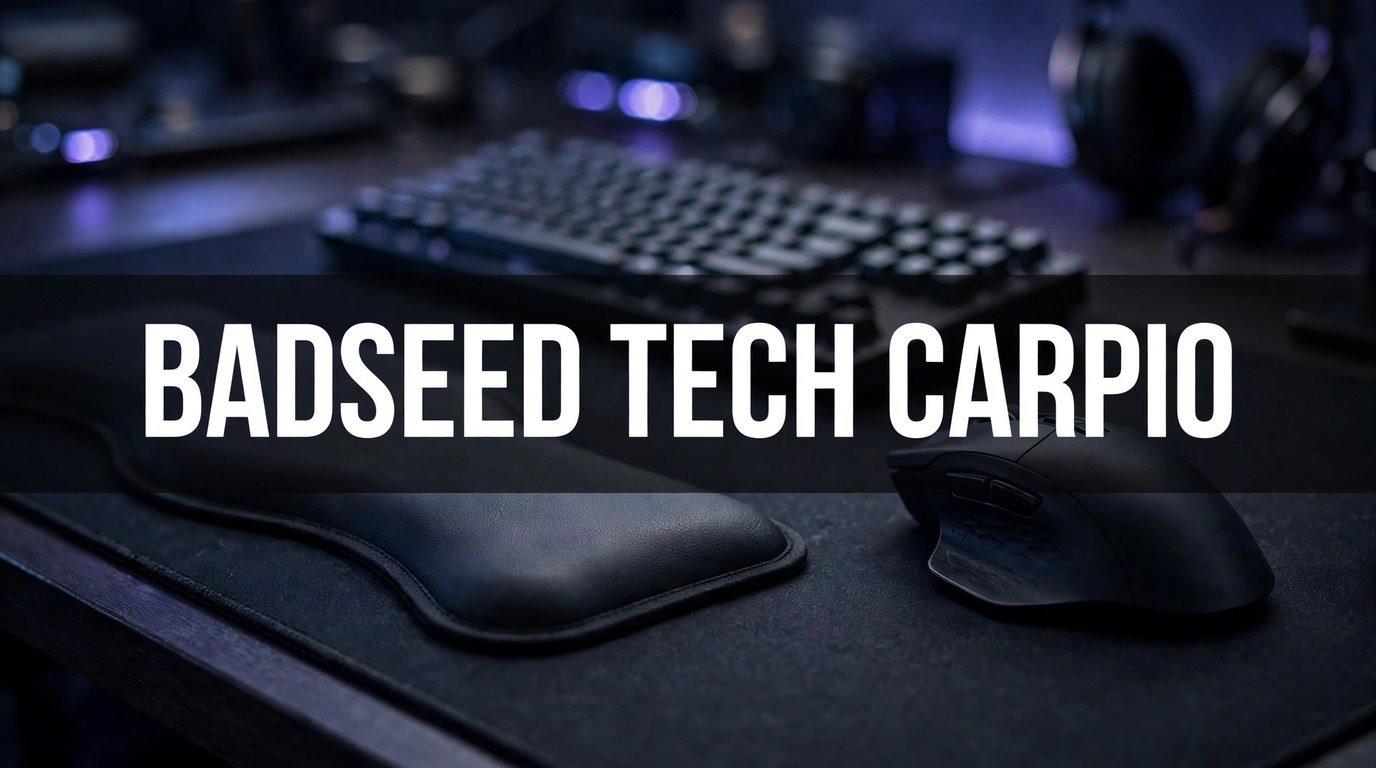
The Badseed Tech Carpio is a creator collaboration edition of the DeltaHub Carpio 2.0 ergonomic wrist rest. DeltaHub makes the Carpio 2.0, and the BadSeed Tech edition adds the channel’s visual identity and a set of exclusive replacement pads. The underlying product is the same Carpio 2.0 platform, so the ergonomic idea, the shape, and the gliding mechanism are shared with the standard version.
The confusion around the name is understandable. Search results sometimes describe it as a new kind of technology, and the phrase “Carpio technology” makes it sound like a gadget. In plain terms, it is a physical desk accessory. It has no battery, no sensor, and no software. Its job is simple: support the palm of your mouse hand while letting the hand move freely.
The special edition stands out in two ways. First, it comes in a black colorway with BadSeed Tech branding, which suits dark gaming setups and minimal desk builds. Second, it includes exclusive BadSeed Tech replacement pads that are not available with the standard Carpio 2.0. Those pads are spares you can swap in when the originals wear out, so the edition is as much about the extras in the box as it is about the look.
For most buyers, the practical question is not what the name means but whether a gliding wrist rest is better than the foam pad they already own. That comes down to how the Carpio is designed to work, and that is where it differs most from ordinary wrist rests.
Who Makes It: DeltaHub and BadSeed Tech
DeltaHub is a small ergonomics company based in Celje, Slovenia. The team designs the Carpio line of wrist rests along with desk mats, cable organizers, and other desk gear. The company is not a large peripheral brand, and that shows in the product: the Carpio is a focused accessory built around one idea, rather than one item in a huge catalogue.
According to DeltaHub, the Carpio 2.0 was developed with input from a medical specialist, Dr. Marko Mikša, and the design process involved hand scans and imaging studies. That background is the company’s own account of its research process. It is worth being clear about this: the design has a medical influence, but the Carpio is an ergonomic accessory, not a medical device, and it is not a treatment for any condition. Anyone with persistent pain, numbness, or tingling in the hand or wrist should speak to a doctor or physiotherapist rather than relying on a desk accessory.
BadSeed Tech is a YouTube channel focused on PC hardware, gaming peripherals, and desk accessories. The collaboration grew out of the creator’s own experience with wrist strain from long hours at a computer, a story he has shared with his audience. That personal connection is part of why the edition exists: it is a creator’s version of a product he already used, not a brand name applied to an unrelated item.
DeltaHub has worked with other creators as well, so the BadSeed Tech edition follows a pattern the company already uses. Each collaboration changes the look and the included pads while keeping the same core product underneath. Knowing that helps set expectations. If you buy the BadSeed Tech Carpio, you are buying the Carpio 2.0 with a different finish and different pads, not a redesigned product.
How the Carpio 2.0 Design Works
The idea behind the Carpio 2.0 is easy to understand once you compare it with a normal wrist rest. A foam pad sits still on your desk. Your wrist rests on it, and when you move the mouse, your hand slides while the pad stays put. Over hours of use, that creates friction and forces the wrist to bend and pivot in ways that can feel uncomfortable.
The Carpio works the other way around. The whole rest moves with your hand.
Palm Support Instead of Wrist Pressure
The first difference is placement. The Carpio is shaped to sit under the palm, specifically under the thicker, fleshier areas at the base of the thumb and the little finger, rather than directly under the wrist itself. The wrist area is sensitive, with tendons and nerves close to the surface, and pressing it against a hard edge for hours is a common source of discomfort.
By supporting the palm instead, the Carpio spreads the load across a tougher part of the hand. The wrist itself stays free, and the hand keeps a more neutral position while the mouse moves. This is the core ergonomic claim of the product, and it is the reason the shape looks unusual compared with a long foam bar. It is small and curved because it is meant to fit one hand, not to span a keyboard.
The Gliding Base
The second difference is movement. The underside of the Carpio uses PTFE feet, the same low-friction material found on the feet of high-end gaming mice. PTFE is often known by the brand name Teflon, and its job here is to let the rest slide smoothly across a desk mat.
When you move the mouse, the Carpio moves with your hand instead of staying behind. Your wrist does not have to drag across a stationary pad, and your arm can move in a more natural arc. For people who use low mouse sensitivity settings and move the mouse across a wide area, this is the feature that matters most. For people who barely move the mouse at all, the benefit is smaller, because the rest is not being asked to do much gliding in the first place.
DeltaHub recommends using the Carpio on a felt or neoprene desk mat for the best glide. A bare hard desk can work, but the surface matters: a rough or sticky surface will slow the rest down, and a very thick, soft mat can make it feel less stable. If you already use a large desk mat, you are probably set. If your desk is bare wood or glass, a mat is worth adding.
Silicone Pads and the Rigid Base
The top of the Carpio is covered with soft silicone pads, which cushion the palm and provide grip so the hand does not slip off the rest. Underneath, the base is a rigid ABS plastic shell. That combination is deliberate: the rigid base keeps the shape consistent and lets the PTFE feet glide evenly, while the soft top is the part your hand actually touches.
The pads are replaceable, which matters for a product that gets daily use. Silicone pads wear down and collect dust and skin oils over time, and being able to swap in a fresh set keeps the rest feeling new. The BadSeed Tech edition includes its own exclusive replacement pads alongside the standard ones, so you get spares from the start.
One practical point: the Carpio is a single-hand accessory. It supports the mouse hand only. If you also want support for your keyboard hand, you need a separate solution, and many people pair the Carpio with a keyboard wrist rest or a keyboard with a low front edge. DeltaHub notes that keyboards with a tall front edge may need a riser accessory, so check your keyboard height before ordering.
Badseed Tech Carpio vs the Standard Carpio 2.0
This is the question most people researching the Badseed Tech Carpio actually want answered, and the honest answer is straightforward: the ergonomic core is identical. Both versions use the same Carpio 2.0 base, the same gliding system, and the same palm-support shape. The differences are visual and in the box.
| Feature | Badseed Tech Carpio | Standard Carpio 2.0 |
|---|---|---|
| Core design | Carpio 2.0 platform | Carpio 2.0 platform |
| Gliding system | PTFE feet | PTFE feet |
| Top pads | Silicone, includes exclusive BadSeed Tech pads | Silicone, standard pads |
| Colour | Black with BadSeed Tech branding | Standard neutral colour options |
| Sizes | Small and large | Small and large |
| Handedness | Left and right versions | Left and right versions |
| Availability | Limited edition, while stock lasts | Regular product line |
That table makes the buying decision simpler. If you want the Carpio 2.0 and you like the BadSeed Tech look, or you want the exclusive pads, the special edition is the one to buy. If you only care about the ergonomic design and you prefer a neutral colour, the standard version gives you the same function. Neither version is mechanically better than the other.
The limited-edition part does matter for availability. Special editions are produced in smaller numbers, and once a batch sells out, it may not return. If you specifically want the BadSeed Tech version, waiting for a sale or delaying the decision carries a real risk that it will be out of stock. The standard Carpio 2.0, by contrast, is a regular product you can usually buy later.
Who Should Consider the Badseed Tech Carpio
The Carpio suits a fairly specific kind of user, and being honest about that saves money and disappointment. It works best for people who use a mouse for long, continuous sessions and who move the mouse across a wide area.
Gamers are the most obvious fit. Long gaming sessions, low sensitivity settings, and large mouse movements are exactly the conditions the gliding design is made for. A gamer who plays for several hours a day and already uses a large desk mat will notice the difference more than someone who plays occasionally.
Office workers and creators are the second group. If your work involves design, video editing, spreadsheets, or any task where the mouse is in your hand for most of the day, a rest that moves with your hand can reduce the small, repeated friction that builds up over a workday. People who have tried foam rests and found them uncomfortable, or who feel their wrist dragging by the afternoon, are the most likely to benefit.
Fans of the BadSeed Tech channel are the third group, and there is nothing wrong with that as a reason to buy. Desk setups are personal, and a limited-edition accessory from a creator you follow can be worth the premium for the look and the collectable pads alone. Just be clear with yourself about what you are paying for: the design is the same as the standard version, so the extra value is in the finish and the extras.
Who Should Probably Skip It
Not everyone needs a gliding wrist rest, and the Carpio has real limits.
If you mostly use a laptop trackpad, or you use a mouse for only short bursts during the day, the Carpio will not do much for you. It is designed for sustained mouse use, and short sessions do not create the friction problem it solves.
If you use a very high mouse sensitivity and barely move the mouse, the gliding feature is less relevant. The rest will still support your palm, but you are paying for a mechanism you rarely use. A simple palm rest or a good desk mat may serve you just as well.
If you have a medical condition affecting your hand or wrist, do not buy the Carpio as a treatment. It is an ergonomic accessory, not a medical device. It may make long sessions more comfortable, but it cannot diagnose or treat pain, numbness, or tingling. See a doctor or physiotherapist first, and treat any comfort improvement as a bonus, not a cure.
Finally, if you dislike the idea of an accessory that moves around your desk, the Carpio may annoy you. It glides, which means it shifts position as you work. Some people love that feeling. Others find it distracting and prefer a rest that stays exactly where they put it. There is no right answer here, only personal preference.
Sizing and Fit: Small vs Large, Left vs Right
The Carpio comes in small and large sizes, and in left-handed and right-handed versions. Getting the size right matters more than most buyers expect, because a rest that is too large or too small will not sit under the palm correctly.
The general guidance is to match the size to your hand. People with smaller hands usually fit the small version, while people with larger hands usually fit the large version. If you are between sizes, think about how you hold the mouse. A palm grip, where the whole hand rests on the mouse, pairs well with the larger rest. A fingertip grip, where only the fingers touch the mouse, may suit the smaller rest, since less of the palm is in contact with the desk.
Handedness is simpler: buy the version that matches your mouse hand. Right-handed users need the right-handed version, and left-handed users need the left-handed version. The shape is mirrored, so the wrong handedness will feel wrong immediately.
If you buy a pair for both hands, which some people do for keyboard and mouse use, make sure you order one of each. Check the product page carefully before checkout, because a pair is not always two identical units. Sizing and handedness are the most common ordering mistakes with this product, and they are easy to avoid with a minute of attention.
Setting It Up and Using It Well
The Carpio needs almost no setup, but a few small steps make the first week much smoother.
Start with the surface. Place the Carpio on a felt or neoprene desk mat if you have one. The PTFE feet are designed to glide on that kind of surface, and the difference between a good mat and a bare desk is noticeable. Clean the mat first if it is dusty, because dust under the feet will slow the glide.
Next, position the rest under the heel of your palm, not under your wrist. The curved edge should sit just behind the mouse, close enough that your palm rests on it naturally when your hand is on the mouse. If the rest feels too far forward, your wrist will hang off it. If it feels too far back, it will push your hand forward. Slide it until the position feels neutral, then leave it there and let your hand learn the position.
Give yourself an adjustment period. Most people need a few days to get used to a gliding rest, especially if they have used foam pads for years. The first day can feel strange, because the rest moves when you are used to it staying still. Use it for normal work before judging it, and try it across a full day rather than a few minutes. If it still feels wrong after a week of regular use, it may simply not suit your grip or your desk, and that is useful information too.
Keep the pads clean. Wipe the silicone pads with a damp cloth when they start to feel sticky or dusty. When the pads wear out, swap in the spares. A clean rest glides better and grips better, and the replacement pads are there to be used, not saved in the box.
How It Compares With Ordinary Wrist Rests
A standard foam or gel wrist rest costs very little and does a simple job: it cushions the wrist. For short sessions and light mouse use, that is often enough. The Carpio costs more, and the extra money buys a different mechanism, not just a nicer cushion.
The main difference is movement. A foam rest stays put and your hand moves over it. The Carpio moves with your hand, so there is less dragging and less friction. The second difference is placement. A foam rest usually sits under the wrist, while the Carpio supports the palm. The third difference is size. A foam rest is often a long bar that spans a keyboard, while the Carpio is a compact, single-hand accessory.
That said, a foam rest has advantages of its own. It is cheap, it stays where you put it, it works on any desk surface, and it supports both hands if it is long enough. For many people, those advantages matter more than gliding. The Carpio is a specialist tool for heavy mouse users, not a universal replacement for every wrist rest.
If you are choosing between the two, ask yourself how many hours a day your hand is on the mouse and how far you move it. Long hours and wide movements favour the Carpio. Short sessions and small movements favour a simple foam rest and the money saved.
Pros and Cons
Every product has trade-offs, and the Carpio is no exception. A clear-eyed list helps more than a one-sided verdict.
Pros:
- The gliding design reduces dragging and friction during long mouse sessions.
- Palm support keeps pressure off the sensitive wrist area.
- PTFE feet glide smoothly on a good desk mat.
- Silicone pads are soft, grippy, and replaceable.
- Small and large sizes, plus left-handed and right-handed versions, cover most users.
- The BadSeed Tech edition adds a black colourway and exclusive replacement pads.
- The rigid base keeps the shape consistent over time, unlike foam that compresses.
Cons:
- It costs more than a basic foam or gel wrist rest.
- It only supports one hand, so keyboard-hand support needs a separate solution.
- The gliding movement takes a few days to get used to.
- It works best on a felt or neoprene desk mat, which you may need to buy.
- The BadSeed Tech edition is limited, so it can sell out.
- It is not a medical device and will not treat wrist pain or related conditions.
- A tall keyboard front edge may need a riser accessory for comfortable use.
What to Check Before You Buy
A short checklist before ordering will prevent the most common problems.
First, confirm the size and handedness. Small or large, left or right: match the version to your hand and your mouse hand. If you are unsure between sizes, check DeltaHub’s sizing guidance on the official product page before you order.
Second, check your desk setup. Do you have a felt or neoprene desk mat? Is your keyboard front edge low enough to use comfortably with a palm rest? A few minutes checking these details is better than discovering a mismatch after delivery.
Third, check the price and what is included. Pricing varies by configuration, including whether you buy a single unit or a pair, and it can change over time. The official DeltaHub store is the reliable place to check the current price and what is in the box. Be cautious about third-party listings that may be reselling limited stock at a markup or offering lookalike products.
Fourth, confirm availability. Because the BadSeed Tech edition is limited, stock can run out. If it is out of stock on the official store, that may mean the batch has sold through. Waiting for a restock is possible, but there is no guarantee a limited edition returns.
Finally, set realistic expectations. The Carpio is a well-designed ergonomic accessory, not a miracle fix. It can make long mouse sessions more comfortable, but it will not change your posture, your chair, or your work habits. The best results come from combining it with a sensible desk setup: a good chair, a mouse that fits your hand, regular breaks, and a desk mat that suits the gliding base.
Common Mistakes to Avoid
A few mistakes come up again and again with the Carpio, and all of them are avoidable.
The first is placing it under the wrist instead of the palm. The product is designed for palm support, and putting it under the wrist defeats the purpose. Position it under the heel of the palm and let the wrist stay free.
The second is judging it after five minutes. A gliding rest feels unfamiliar at first, and a quick test is not enough. Give it several days of normal use before deciding whether it suits you.
The third is using it on the wrong surface. A dirty mat, a sticky desk, or a very thick soft mat can all make the glide feel wrong. Clean the mat, try a felt or neoprene surface, and see if the movement improves before blaming the rest.
The fourth is ordering the wrong size or handedness. This is the most common and most avoidable mistake. Double-check the size and the hand before checkout.
The fifth is buying it as a medical fix. If you have ongoing wrist pain, numbness, or tingling, see a healthcare professional. An ergonomic accessory can support comfort, but it is not a substitute for proper advice.
Frequently Asked Questions
Is the Badseed Tech Carpio a mouse or a wrist rest?
It is a wrist rest, not a mouse. The Badseed Tech Carpio is a limited-edition version of the DeltaHub Carpio 2.0, a small ergonomic wrist rest that supports the palm while you use a mouse. It has no electronics, no battery, and no software. It sits on your desk and glides with your hand as you move the mouse.
What is the difference between the Badseed Tech Carpio and the standard Carpio 2.0?
The ergonomic design is the same. Both use the Carpio 2.0 platform, the same PTFE gliding feet, and the same palm-support shape. The BadSeed Tech edition differs in its black colourway, its BadSeed Tech branding, and the exclusive replacement pads included in the box. If you only care about how it works, the standard version performs the same way.
Does the Badseed Tech Carpio help with wrist pain?
It is an ergonomic accessory, not a medical device, so it cannot be described as a treatment for wrist pain or any condition. Many users find that palm support and a gliding base make long mouse sessions more comfortable, but comfort is not the same as treatment. If you have persistent pain, numbness, or tingling, speak to a doctor or physiotherapist.
What size should I buy, small or large?
Match the size to your hand. Smaller hands generally fit the small version, and larger hands generally fit the large version. Your grip style matters too: a palm grip often pairs well with the larger rest, while a fingertip grip may suit the smaller one. Check DeltaHub’s sizing guidance on the official product page if you are between sizes.
Does it work on any desk?
It works best on a felt or neoprene desk mat, which is what DeltaHub recommends for the PTFE gliding feet. A bare desk can work, but a rough or sticky surface will slow the glide. If you do not already use a desk mat, adding one is the simplest way to get the best performance from the rest.
Is the Badseed Tech Carpio worth the price?
That depends on how you use a mouse and what you value. For heavy daily mouse users, gamers, and people who work long sessions at a computer, the gliding design and palm support offer a real difference over a basic foam rest. For light or occasional mouse use, a cheaper rest may be enough. Pricing varies by configuration and can change, so check the official DeltaHub store for the current price before deciding.
Conclusion
The Badseed Tech Carpio is easy to sum up once the name is out of the way. It is a limited-edition DeltaHub Carpio 2.0, made with the BadSeed Tech channel, in a black colourway with exclusive replacement pads. The design underneath is the same as the standard version: a compact rest that supports the palm rather than the wrist and glides across the desk on PTFE feet.
For heavy mouse users who spend long hours at a computer, that design offers a genuine alternative to a foam pad that stays still while the hand moves. The fit matters, the desk mat matters, and a few days of adjustment matter, but those are small hurdles for a product that is otherwise simple to use. For light users, or anyone looking for a medical fix, it is not the right purchase.
If you like the BadSeed Tech look, want the exclusive pads, and use a mouse for hours every day, the special edition is worth considering while it is in stock. If you only want the ergonomic design, the standard Carpio 2.0 gives you the same function. Either way, choose the right size and handedness, put it on a good mat, place it under your palm, and give it a week before you judge it.
Read Also: Shooting in Virginia Tech University: What Happened in 2007