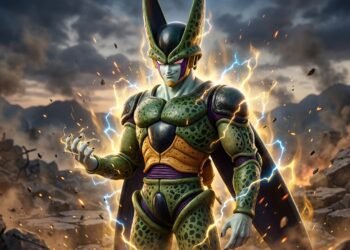
Sad anime images capture emotions that are sometimes difficult to express with words. A lonely character standing beneath the rain, a farewell beneath a fading sunset, or a quiet figure looking toward the night sky can turn a simple desktop background into something personal. For fans who appreciate emotional artwork, sad anime wallpaper in 4K offers detailed visuals with a cinematic feel.
A 3840 × 2160 image is commonly called 4K UHD. It provides a 16:9 widescreen format that suits many desktop monitors and televisions. When the original artwork is high quality, this resolution can preserve fine details in characters, backgrounds, lighting, and colors.
Whether you prefer a heartbroken anime character, a dark aesthetic, a peaceful rainy scene, or a black-and-white illustration, the right wallpaper can reflect your mood and give your screen a distinctive appearance.
This article explores popular sad anime wallpaper styles, explains how to choose the right resolution, and shares practical tips for finding, downloading, and setting a suitable background.
What Is Sad Anime Wallpaper in 4K Resolution?
Sad anime wallpaper is digital artwork featuring emotional themes such as loneliness, heartbreak, grief, separation, nostalgia, or quiet reflection. These images may feature anime characters, dramatic landscapes, atmospheric lighting, or scenes that suggest a story without explaining every detail.
When a wallpaper measures 3840 × 2160 pixels, it has approximately 8.3 million pixels and a 16:9 aspect ratio. This makes it suitable for many 4K UHD displays.
The resolution alone does not guarantee excellent image quality. The original artwork, compression, sharpness, and color treatment also influence how the wallpaper looks on a screen.
Common features of sad anime backgrounds include:
-
Characters looking away from the viewer or standing alone.
-
Rain falling against a window or across an empty street.
-
Muted colors such as gray, blue, violet, and dark green.
-
Sunset skies, nighttime cityscapes, and quiet natural settings.
-
Expressions that communicate sadness, uncertainty, or longing.
-
Negative space that gives the composition a calm, uncluttered appearance.
Some images communicate sadness through facial expressions, while others use lighting, scenery, and distance to create an emotional atmosphere.
Popular Types of Sad Anime Wallpaper
Different styles create different moods. Choosing a specific theme can help you find an image that matches your taste instead of scrolling through unrelated backgrounds.
1. Lonely Anime Character Wallpapers
These compositions emphasize isolation and quiet reflection. They can be a good choice for people who prefer subtle emotional artwork rather than dramatic scenes.
Look for images with a clear focal point and enough open space around the character. A simple composition can also make desktop icons easier to see.
2. Rainy and Melancholic Anime Backgrounds
Blue and gray tones often suit this style, although warm streetlights can add contrast and make a scene feel more personal.
Rainy anime wallpapers work particularly well when you want a cinematic background that feels atmospheric without filling the entire screen with bright colors.
3. Heartbreak and Emotional Anime Couple Images
Some images show two characters standing apart, while others use empty space to suggest that someone is missing. A fading sunset, a railway platform, or an empty seat can communicate separation without showing an explicit breakup.
If you choose a couple wallpaper, consider whether you prefer a dramatic scene or a quieter composition. Subtle artwork may be more comfortable as an everyday desktop background.
4. Dark and Black Anime Wallpa
Dark anime wallpapers use deep shadows, black backgrounds, low lighting, and restrained colors to create an intense aesthetic.
Black-and-white artwork can emphasize facial expressions, outlines, and contrast. Dark blue or purple backgrounds add color while maintaining a subdued appearance.
These designs may suit users who prefer minimalist desktop setups, dark themes, or backgrounds that do not compete visually with open applications.
For better readability, choose an image with a relatively simple area behind your desktop icons.
5. Sad Anime Girl Wallpapers
Soft lighting and gentle colors can create a reflective mood, while strong shadows and close-up portraits may feel more dramatic.
If you want a clean desktop background, look for artwork where the character occupies one side of the image and the other side remains relatively uncluttered.
6. Sad Anime Boy Wallpapers
Popular visual approaches include hooded characters beneath streetlights, figures looking across a city, and portraits with cool lighting.
The best choice depends on the mood you want. A close-up portrait places more emphasis on the character, while a wide landscape gives the scene a stronger sense of space.
7. Sunset, Night Sky, and Nostalgic Anime Scenes
A quiet railway platform, a fading orange sky, distant mountains, or a character beneath a star-filled sky can create a reflective feeling without making the image too intense.
These wallpapers are useful if you want emotional artwork with a more peaceful appearance. Wide scenery can also leave plenty of room for desktop icons and application windows.
How to Choose the Best Sad Anime Images in 3840 × 2160
Finding an attractive image is only the first step. You also need to consider resolution, composition, colors, and how the artwork will appear on your actual display.
Check the Image Resolution
Start by checking the dimensions of the original image.
| Resolution | Common description | Suitable use |
|---|---|---|
| 1280 × 720 | HD | Smaller displays |
| 1920 × 1080 | Full HD | Standard widescreen monitors |
| 2560 × 1440 | QHD | Many higher-resolution monitors |
| 3840 × 2160 | 4K UHD | 4K widescreen displays |
A genuine 3840 × 2160 file is a sensible starting point for a 4K monitor. However, a smaller image can still look good on a smaller display, depending on its quality and the amount of scaling required.
Be cautious when a website labels an image as 4K but only offers a smaller file. Increasing an image’s pixel dimensions does not automatically restore details that were never present in the original.
Match the Aspect Ratio to Your Screen
The aspect ratio describes the relationship between an image’s width and height.
A 3840 × 2160 image has a 16:9 aspect ratio. This works well with many widescreen displays, but it may not fit ultrawide monitors or displays with taller proportions without cropping or empty space.
Before downloading, check your monitor’s display resolution and compare it with the wallpaper dimensions.
If you use an ultrawide monitor, look for artwork made for your screen’s actual aspect ratio rather than stretching a standard 16:9 image.
Choose Colors That Match Your Desktop
The colors in a wallpaper influence the overall appearance of your desktop.
-
Dark blue and gray: Create a cool, reflective atmosphere.
-
Black and white: Emphasize contrast and character details.
-
Purple and violet: Add a dreamy or surreal quality.
-
Muted orange and red: Suggest sunsets, memories, or dramatic scenes.
-
Soft pastel colors: Produce a gentler, quieter aesthetic.
Consider the color of your taskbar, desktop icons, and application windows. A visually appealing image may become distracting if its brightest details sit directly behind frequently used icons.
Look for Sharp Details and Clean Composition
High-resolution anime artwork should retain clear outlines, natural-looking gradients, and readable details when viewed at full size.
Before using an image, check for:
-
Blurry character outlines.
-
Visible compression artifacts.
-
Unnatural stretching.
-
Excessive sharpening.
-
Watermarks across important details.
-
Cropping that cuts off faces or other key elements.
A clean, well-composed image often looks better than an elaborate image with poor source quality.
How to Find and Download Sad Anime Wallpapers
You can search for sad anime wallpapers using an image search engine, an artist’s portfolio, an official anime website, or a wallpaper collection that clearly identifies its image sources and licensing terms.
Use specific search phrases to narrow your results.
Examples include:
-
sad anime wallpaper 3840 × 2160
-
lonely anime boy 4K desktop background
-
sad anime girl dark aesthetic wallpaper
-
rainy anime city 4K background
-
black-and-white melancholic anime wallpaper
-
emotional anime sunset desktop wallpaper
-
sad anime couple 4K widescreen image
Adding the resolution and visual style helps narrow the results, but it does not guarantee that every returned image has the stated dimensions.
A Simple Downloading Process
-
Search for the style of sad anime wallpaper you want.
-
Open the individual image page rather than relying only on a small preview.
-
Check the original image dimensions.
-
Review the creator’s or website’s usage terms.
-
Download the original or full-resolution file when available.
-
Open the image to check its sharpness, framing, and colors.
-
Set it as your desktop background and adjust the display fit if needed.
Avoid suspicious download buttons, unexpected software installers, and pages that ask you to install an extension simply to save a static image.
How to Set a Sad Anime Wallpaper on Your Computer
Once you have selected a suitable image, you can make it your desktop background.
On Windows 11 or Windows 10
-
Save the wallpaper to your computer.
-
Open the image in File Explorer.
-
Right-click the image and select Set as desktop background, if that option is available.
-
Alternatively, open Settings and go to Personalization, then Background.
-
Select Picture and browse for your downloaded image.
-
Choose a display option such as Fill, Fit, or Center, depending on your version of Windows and your preferred appearance.
Fill enlarges the image to cover the screen, which can crop some edges. Fit displays the entire image but may leave empty space if the proportions differ. Center places the image without automatically stretching it to fill the display.
For a correctly sized 3840 × 2160 image on a 3840 × 2160 monitor, these adjustments may be unnecessary.
On macOS
-
Save the wallpaper file.
-
Open System Settings.
-
Select Wallpaper.
-
Choose the option to add or select an image, depending on your macOS version.
-
Locate the downloaded image and apply it.
The exact labels and options can vary between macOS versions.
On a Laptop With a Smaller Screen
A 4K wallpaper can often be used on a lower-resolution laptop. The operating system scales the image to fit the display.
The result may look sharp, but the final appearance depends on the original image quality, scaling, and display characteristics. If the image has the wrong proportions, select an appropriate fit option or use a version cropped for your screen.
Why Do Some 4K Anime Wallpapers Look Blurry?
A file can have 3840 × 2160 dimensions and still look poor. Resolution describes the number of pixels, not the quality of the artwork stored in those pixels.
Several factors can affect the final result.
The Original Image Was Low Resolution
A small image may have been enlarged to 4K. Although the file now contains more pixels, the additional pixels do not necessarily contain genuine visual detail.
What to do: Look for a high-resolution original or a version supplied directly by the artist or rights holder.
The Wallpaper Is Being Stretched
An image designed for a square or vertical display can look distorted when stretched across a widescreen monitor.
What to do: Use a wallpaper with the correct aspect ratio, or crop the image carefully while preserving the character’s proportions.
The Image Was Compressed Too Much
Heavy compression can introduce blocky textures, blurry edges, and unwanted patterns in smooth areas such as skies.
What to do: Choose a higher-quality image file. JPEG and WebP can work well for photographic or detailed artwork, while PNG may be useful for illustrations with sharp edges. The best format depends on the image and how it was exported.
The Desktop Settings Are Cropping the Artwork
A background setting that fills the display may cut off part of the scene.
What to do: Try Fit or Center, or select an image designed for your display dimensions.
The Wallpaper Looks Different on Another Monitor
Display brightness, contrast, color settings, and panel characteristics can change how an image appears.
What to do: Preview the wallpaper on your own screen and adjust display settings if necessary. Avoid judging image quality solely from a thumbnail on another device.
How to Create a Personal Sad Anime Desktop Aesthetic
A good wallpaper does more than fill the screen. It works with the rest of your desktop.
If you want a consistent sad anime aesthetic, consider the following ideas.
Use a limited color palette. Choose artwork built around a few related colors, such as navy blue, gray, and muted purple. A consistent palette gives your desktop a more unified appearance.
Keep icons readable. Choose images with darker or less detailed areas behind your desktop icons. If the image is busy, consider moving icons or hiding unnecessary shortcuts.
Match your desktop theme. Dark application themes often work well with nighttime anime scenes, while softer artwork can complement a lighter interface.
Choose a focal point. Decide whether you want a character portrait, a couple, or a landscape to attract attention. Avoid images where every area competes for attention.
Consider your daily use. A dramatic, high-contrast wallpaper may look striking at first but become distracting during work. A quieter scene can provide visual interest without overwhelming the screen.
Keep a small collection. Save several wallpapers with related colors and moods. You can then switch between them without changing the overall appearance of your desktop.
Copyright and Safe Use of Sad Anime Images
Anime artwork may be protected by copyright, including character illustrations, promotional images, screenshots, and fan art. The fact that an image appears in search results or can be downloaded for free does not automatically mean it is free to redistribute or use commercially.
Before using a wallpaper, consider where it came from and what permission the creator provides.
-
Official artwork: Check the publisher’s or rights holder’s terms.
-
Fan art: Look for the artist’s stated usage conditions.
-
Licensed image collections: Read the license for the specific image.
-
Public-domain or openly licensed artwork: Verify the license and any attribution requirements.
-
Commercial projects: Obtain the necessary permissions before using protected artwork in advertising, merchandise, monetized content, or other commercial materials.
Setting an image as a personal desktop background is different from reposting it, selling prints, or using it to promote a business. The rules depend on the circumstances and applicable law, so do not assume that personal access or attribution grants broader rights.
If you plan to publish a wallpaper collection on your own website, use artwork you created yourself or images you have permission to distribute. Giving credit is good practice when appropriate, but credit alone does not replace permission.
Choosing Between Static and Animated Anime Wallpapers
Sad anime backgrounds are available as both static images and animated wallpapers.
A static wallpaper is a single image. It is generally straightforward to save, set, and use without additional wallpaper software.
An animated wallpaper may include falling rain, moving clouds, glowing lights, or subtle character movement. These effects can make the scene feel more immersive, but animated backgrounds may require compatible software and additional system resources.
| Feature | Static wallpaper | Animated wallpaper |
|---|---|---|
| Visual appearance | One fixed image | Moving or changing elements |
| Setup | Usually simple | May require additional software |
| System resources | Generally low | Depends on the animation and software |
| Best for | Clean, distraction-free desktops | Dynamic, cinematic setups |
| Image resolution | Can be 4K UHD | Depends on the source video or animation |
If your priority is a sharp 3840 × 2160 background, start with a high-quality static image. If you prefer movement, check the animation’s actual resolution and performance requirements before installing it.
Common Mistakes When Searching for Sad Anime Wallpapers
A few simple mistakes can make the search process more frustrating than it needs to be.
Trusting the 4K label without checking dimensions. A title may describe an image as 4K even when the downloadable file is smaller. Check the actual dimensions whenever possible.
Choosing an image based only on its thumbnail. Small previews can hide compression artifacts, watermarks, and blurry details. Open the original file before using it.
Ignoring the screen’s aspect ratio. A beautiful image may crop badly on an ultrawide monitor. Match the wallpaper to the display where possible.
Downloading from unfamiliar pop-ups. Ads can resemble download controls. Use the actual image download option and avoid unnecessary installers.
Assuming all free artwork can be reused anywhere. A free download may permit personal use only. Read the license before sharing or using it commercially.
Overlooking desktop readability. A busy background can make shortcuts and labels difficult to see. Choose an image with enough visual breathing room.
The best approach is to prioritize image quality, a suitable composition, safe downloading, and clear usage permissions rather than relying on the wallpaper title alone.
12. Frequently Asked Questions
What is the best resolution for sad anime wallpaper?
For a 4K UHD desktop monitor, 3840 × 2160 pixels is a suitable resolution. It provides a 16:9 widescreen image. If your monitor uses a different resolution or aspect ratio, choose a wallpaper that matches your display as closely as possible.
Where can I find sad anime images in 4K?
You can search official anime websites, artists’ portfolios, licensed wallpaper collections, and image libraries that identify their usage terms. Use search phrases such as “sad anime wallpaper 3840 × 2160” or “melancholy anime desktop background 4K,” then verify the dimensions of the original file.
Are sad anime wallpapers available for free?
Yes, some are available for free. However, free access does not automatically grant permission to redistribute the artwork or use it commercially. Check the creator’s license and any attribution requirements before using an image outside personal viewing.
Can I use a 4K anime wallpaper on a 1080p monitor?
Yes. A 3840 × 2160 image can be scaled down for a 1920 × 1080 display. The operating system normally handles the scaling automatically, and a good-quality source image can still look sharp.
Why does my sad anime wallpaper look blurry?
The image may have been enlarged from a smaller original, compressed heavily, or stretched to fit the display. Downloading a higher-quality original with the correct aspect ratio can help. Also check the desktop background settings to make sure the image is not being distorted.
What is the difference between 4K and Full HD anime wallpapers?
A typical 4K UHD image measures 3840 × 2160 pixels, while Full HD measures 1920 × 1080 pixels. Both have a 16:9 aspect ratio, but 4K UHD contains four times as many pixels, allowing more detail when the source artwork and display support it.
Which sad anime wallpaper style is best for a desktop?
It depends on your preferences. Dark anime backgrounds suit minimalist setups, rainy scenes create a cinematic mood, and sunset landscapes offer a softer appearance. If you use desktop icons frequently, look for a composition with open space and enough contrast for readable labels.
Can I use sad anime artwork on my website or social media?
That depends on the artwork’s copyright status and license. A wallpaper available for personal use may not be permitted in website graphics, social media posts, advertisements, or monetized videos. Check the creator’s terms or obtain permission before publishing it.
13. Conclusion
Sad anime wallpaper in 4K combines emotional artwork with the detail and spacious composition of a high-resolution desktop background. Whether you prefer lonely anime characters, rainy city streets, heartbreak scenes, dark portraits, or peaceful sunset landscapes, the right image can make your desktop feel more personal.
For the best results, choose a high-quality original, verify that it measures 3840 × 2160 when true 4K resolution is required, and match its aspect ratio to your screen. Pay attention to colors, icon readability, cropping, and licensing before downloading or sharing the artwork.
A beautiful wallpaper does not need to be complicated. Sometimes, a quiet character, a distant horizon, and a few carefully chosen colors create the most memorable result.
Explore More: 2006 imagesize:1920×1080: A comprehensive guide