If you stumbled on the name “Izeeconf” and wondered what it actually is, the short answer is this: Izeeconf is a browser-based video conferencing tool made by Apizee, a French company that builds real-time communication software. No downloads, no installs — you click a link and you’re in the meeting. In this guide, I’ll walk you through what Izeeconf does, what it’s good at, what it costs, and how it stacks up against the tools you’ve already heard of, so you can decide whether it’s worth a spot in your team’s routine.
What Is Izeeconf?
Izeeconf is a collaborative video conferencing solution developed by Apizee, a company based in France that specializes in secure real-time communication. Instead of asking everyone to download a desktop app or create an account before joining, Izeeconf runs entirely in the browser using WebRTC — the same open web standard that powers browser calls on Google Meet and Microsoft Teams.
Think of it less as a consumer video chat app and more as a corporate meeting tool with a security-first pitch. Apizee positions the product around three ideas: meetings should be instant to join, they should work from any device, and company data shouldn’t leak through unsecured consumer apps. If your team has ever shared sensitive information over a random chat app because the “official” tool was too much hassle to set up, Izeeconf is trying to be the low-friction alternative.
One thing worth saying up front: Izeeconf is a much smaller, more niche product than Zoom or Teams. It doesn’t have the massive user base or the deep review footprint of the big names, and some of its public documentation is thin. This guide is based on publicly available information from Apizee itself and from software directories such as Appvizer — I’ll flag clearly where facts come from and where information simply isn’t public.
Key Features of Izeeconf
100% Browser-Based — No Download, No Installation
This is Izeeconf’s defining feature, and honestly the reason most people end up considering it. Every part of the experience runs in a standard web browser — Chrome, Firefox, Edge, Safari, all of them. Guests don’t need to register, install a plugin, or even create an account to join a meeting. You send an invitation link by email or SMS, they click it, and the call opens in their browser.
If you’ve ever lost ten minutes of a meeting to “can you hear me? Try downloading the app” troubleshooting, you know exactly why this matters. For client-facing teams, freelancers, and anyone who meets with people outside their own organization, removing the install step removes the biggest source of friction in video meetings.
One-Click Meeting Creation
Izeeconf is built around virtual meeting rooms that you can spin up instantly. You can create an ad-hoc room for an immediate conversation or schedule one ahead of time. Directory listings describe it as “one-click conferencing” — start or schedule voice and video conferences with colleagues, partners, or prospects from a single action.
For recurring meetings, you can create a permanent private room and reuse the same link every time, which is handy for daily stand-ups or weekly check-ins. For one-off calls with a client, a temporary room keeps things tidy.
Screen Sharing and Document Sharing
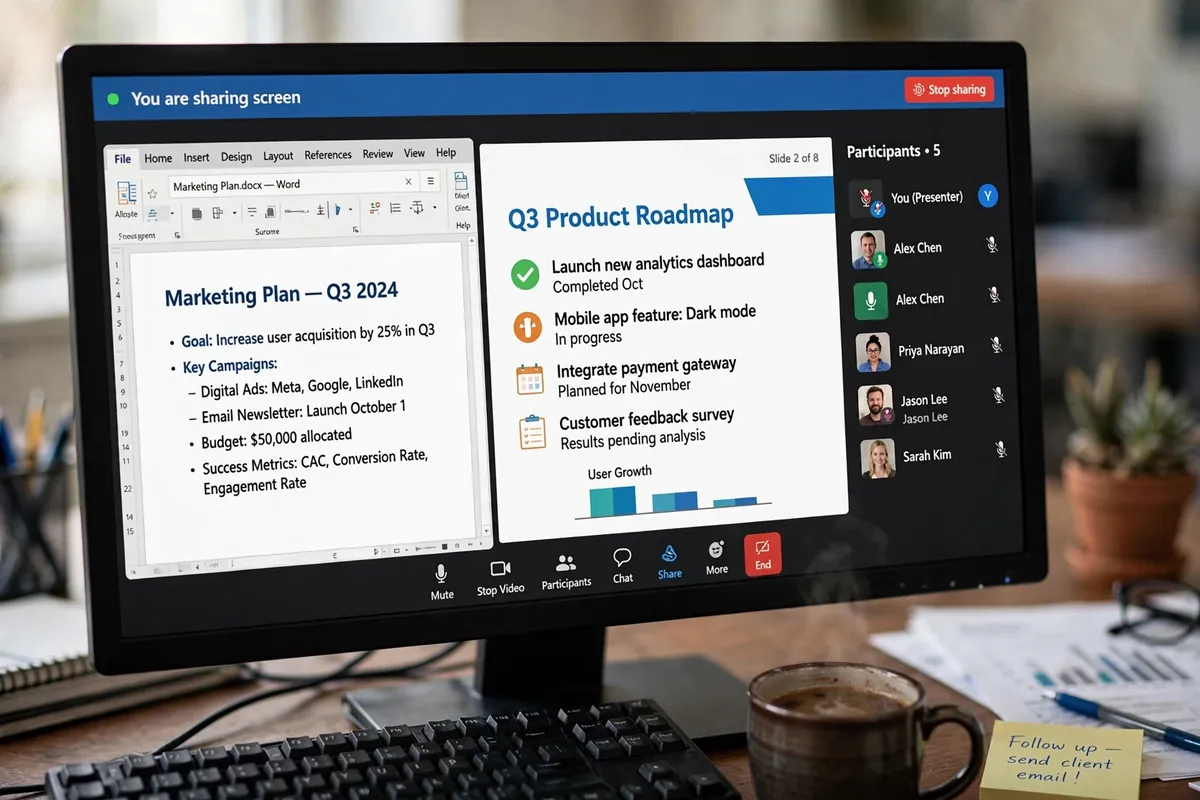
Sharing your screen works the way you’d expect: you can share your entire screen, a single application window, or just one browser tab. On top of that, Izeeconf supports file transfer, so you can push documents, presentations, and videos to participants mid-call rather than juggling a separate file-sharing service.
A nice extra detail from the documented feature set: you can take photos from the remote video stream and create annotations on them, then save the media to your conference record afterward. That’s the kind of feature that sounds minor until you’re walking a customer through a broken piece of hardware and want to mark up exactly what you’re seeing.
Virtual Backgrounds and Meeting Recording
Two features that have become table stakes since the remote-work boom: virtual backgrounds and session recording. Izeeconf offers both. Virtual backgrounds let you hide a messy home office behind something more professional, and the recording feature captures video, audio, and media exchanged during the meeting, making it easy to share the session with people who couldn’t attend.
Recording storage is bundled into the product, though Izeeconf doesn’t publicly specify how much storage you get — something to ask about if you record a lot of calls.
Security and Privacy Controls
Apizee leans hard into the security story, and the documented features back it up more than most marketing does. Private rooms can be protected with a password, and there’s a waiting-room option where guests only join after a moderator approves them. Meeting rooms can be set up as unique or time-limited, which prevents someone from reusing an old invitation link to crash a future meeting.
On the infrastructure side, Apizee states that all communications are encrypted with standard secure protocols, user passwords are hashed rather than stored in plain text, and the platform runs on European data centers with GDPR compliance controls. The company also holds HDS certification — a French certification for hosting health data — which is relevant if you’re in healthcare or handling sensitive data. That said, if encryption specifics matter for your compliance requirements, confirm the details with Apizee directly rather than taking a product overview page at face value.
Calendar Integration and Live Streaming
Izeeconf connects with Microsoft Outlook and Google Calendar, so scheduled meetings appear alongside your other appointments with the host name, invitation details, and start time. Reminders help participants actually show up, and clicking the calendar link joins the room.
There’s also a live-streaming option via a YouTube Live integration, letting you broadcast a conference to a much larger audience — useful for town halls, announcements, or public webinars rather than small team calls.
Multi-Device Support
The product is designed to work across desktops, laptops, tablets, and smartphones. Since everything runs in the browser, there’s no app-store dependency — any device with a modern browser and a camera can join. Participants can choose how video feeds are displayed from several layout options.
How to Use Izeeconf: Your First Meeting in Minutes
Getting started with Izeeconf is refreshingly simple compared to most enterprise tools. Here’s what the process looks like based on the documented workflow:
- Step 1: Set up your account. Sign up with Apizee and access your Izeeconf workspace. This is the one step where you’ll need credentials — guests you invite won’t.
- Step 2: Create a meeting room. From your dashboard, create a virtual room. You can make it an instant room for a call starting now, a scheduled room for later, or a permanent private room for recurring meetings.
- Step 3: Lock it down (optional but recommended). If the meeting involves anything sensitive, set a room password and enable the waiting room so you approve each participant before they join.
- Step 4: Invite your participants. Send the room link by email or SMS. If you use Outlook or Google Calendar, the invitation integrates with your calendar, complete with reminders.
- Step 5: Start and run the meeting. At meeting time, open the room link in your browser. Share your screen, exchange documents, annotate images from the video stream, or kick off a recording if you want to keep a record.
- Step 6: Wrap up. Stop the recording when you’re done. Recorded sessions and shared media can be saved and passed on to anyone who missed the call — or, if you streamed it, to a wider audience.
The whole point is that steps 1 through 3 take you a couple of minutes, and everyone you invite skips straight to step 5 with nothing to install. For teams that meet with external clients regularly, that asymmetry — easy for guests, manageable for hosts — is the product’s strongest selling point.

Izeeconf Pricing
Here’s where I have to be honest with you: detailed, official pricing for Izeeconf isn’t publicly documented in the way you’d expect from a mainstream SaaS product. Apizee’s own site routes you to contact them for specifics, and there’s no public pricing page I could verify directly.
What I can tell you comes from software directory listings such as Appvizer, which report that Izeeconf offers a free version, a free trial, and a free demo, with paid versions starting from around €10.80 per month. Treat that figure as a reported directory estimate, not a confirmed price — directory listings can be outdated, and I couldn’t verify tier names, participant limits per tier, or what’s included at each level.
If you’re evaluating Izeeconf for a team, the practical move is to start with the free version or trial to test the no-install experience with your actual participants, then contact Apizee’s sales team for current pricing on the plan that fits your meeting size and recording needs. For a niche B2B product like this, pricing conversations tend to be customized anyway.
Who Is Izeeconf For?
Izeeconf makes the most sense for a specific kind of user. It probably fits you if:
- You run remote or hybrid teams that meet daily and are tired of the download-and-install tax on every external call.
- You’re a French or European business that prefers — or is required to prefer — European data hosting and GDPR-compliant communication tools. A French vendor with EU-based infrastructure is a genuine differentiator here.
- You work in healthcare or another regulated field and need HDS-grade hosting and documented security controls for video consultations.
- You do a lot of client-facing calls — agencies, consultants, freelancers — where the person on the other end shouldn’t have to install anything to talk to you.
- You need remote visual support, where screen sharing, snapshots, and image annotation help you diagnose problems or walk someone through a process in real time.
It’s probably not the right pick if you need a meeting platform with hundreds of native integrations, a huge template marketplace, or the network effect of “everyone already has it.” Izeeconf is deliberately narrower than the giants — and that’s the point.
Izeeconf vs the Alternatives
How does Izeeconf compare to the tools people usually mention? I’ll keep this to a few defensible dimensions rather than inventing head-to-head specs I can’t verify.
| Aspect | Izeeconf | Zoom | Google Meet | Microsoft Teams |
|---|---|---|---|---|
| Guest joins without install | Yes — browser link, no registration needed | Browser join exists but the app is heavily pushed | Yes — browser link, Google account usually expected | Browser join exists but the app is heavily pushed |
| Core target user | Businesses wanting simple, secure browser meetings | General-purpose, from personal to enterprise | Google Workspace users | Microsoft 365 organizations |
| Origin / data hosting emphasis | French company; European data centers, GDPR focus | US company | US company | US company |
| Ecosystem integration | Outlook/Google Calendar; limited public info on deeper integrations | Very large app marketplace | Deep Google Workspace integration | Deep Microsoft 365 integration |
| Scale of adoption | Niche; thin public review footprint | Massive global adoption | Massive global adoption | Massive global adoption |
The honest summary: if you live inside Google Workspace or Microsoft 365, Meet or Teams will almost always be the path of least resistance, because your calendar, files, and chat are already there. Izeeconf’s case is the opposite — it wins when you need meetings that are completely decoupled from any ecosystem: no accounts, no apps, no vendor lock-in for your guests, plus a European security story. That’s a real niche, just not a mainstream one.
Pros and Cons of Izeeconf
Pros:
- Truly browser-based — guests join from a link with no download, install, or registration.
- One-click meeting creation with reusable private rooms.
- Strong, documented security posture: room passwords, waiting rooms, time-limited rooms, encrypted communications, GDPR-compliant European hosting, HDS certification.
- Useful collaboration extras: screen sharing, file transfer, video-stream snapshots with annotations, recording, and YouTube Live streaming.
- Works across all devices with a modern browser — phone, tablet, or desktop.
- European vendor, which matters for EU organizations with data-sovereignty requirements.
Cons:
- Limited public documentation and a thin review footprint — it’s hard to find independent, detailed user reviews.
- Official pricing isn’t transparently published; you’ll need to contact Apizee for confirmed figures.
- Participant limits vary across directory listings (some report up to 12, others up to 250), which suggests the numbers depend on the plan or product version — verify before you buy.
- Far fewer third-party integrations than the major platforms.
- No network effect: your guests won’t already have it or know it, so you’ll be explaining the tool on the first call.
FAQs
Is Izeeconf free?
Software directories such as Appvizer report that Izeeconf offers a free version alongside a free trial and free demo, with paid plans reported to start from around €10.80 per month. I couldn’t verify the free tier’s limits from official sources, so check with Apizee directly to see what the free version actually includes.
Does Izeeconf need installation?
No — that’s the whole point. Izeeconf runs entirely in the browser using WebRTC, so neither hosts nor guests need to download or install anything. You just need a modern browser and an internet connection.
Who makes Izeeconf?
Izeeconf is made by Apizee, a French company specializing in real-time communication and video solutions for businesses. Apizee also offers related products for remote visual support and telehealth.
How many participants can join an Izeeconf meeting?
This is genuinely unclear from public sources: Appvizer’s product page for Izeeconf mentions up to 12 participants for multi-participant video conferencing, while Appvizer’s category listings mention up to 250 participants. The difference likely comes down to plan tiers or different product configurations. If participant capacity matters to you, confirm the number for your specific plan with Apizee before committing.
Is Izeeconf secure for business use?
Security is Izeeconf’s headline differentiator. Documented controls include encrypted communications, password-protected rooms, waiting rooms with moderator approval, time-limited meeting rooms, hashed passwords, GDPR-compliant European data centers, and HDS certification for health-data hosting. It’s positioned as a secure corporate solution — just confirm the specifics against your own compliance requirements if you handle regulated data.
Final Thoughts
Izeeconf won’t replace Zoom or Teams for most organizations, and it isn’t trying to. What it offers is a deliberately simple, secure, browser-first meeting tool from a European vendor — no installs, no guest accounts, one-click rooms, and a security posture that goes beyond marketing fluff. For French and European businesses with data-sovereignty concerns, for healthcare teams needing HDS-grade hosting, or for anyone whose clients keep bouncing off “please download our meeting app,” that combination is genuinely appealing.
The caveats are real, though: pricing isn’t transparent, independent reviews are scarce, and the public documentation leaves some basic questions (like participant limits) unanswered. My advice: take the free version or trial for a spin with a real meeting or two. You’ll know within an hour whether the no-install experience and the security controls are worth building a conversation with Apizee around.
Read Also: Mega155 Online (2026 Guide): What It Is, How It Works, and Is It Safe?